
Built for real estate pros
AI Virtual Staging for Real Estate
That Looks Photorealistic.
AiStager is an AI-powered virtual staging platform for real estate agents, brokers, and investors. Remove selected furniture, explore design styles, and generate furnished photo variations. Choose a style, review the result, and prepare it for your listing.
No credit card required. Paid plans remove watermarks for listing-ready downloads.
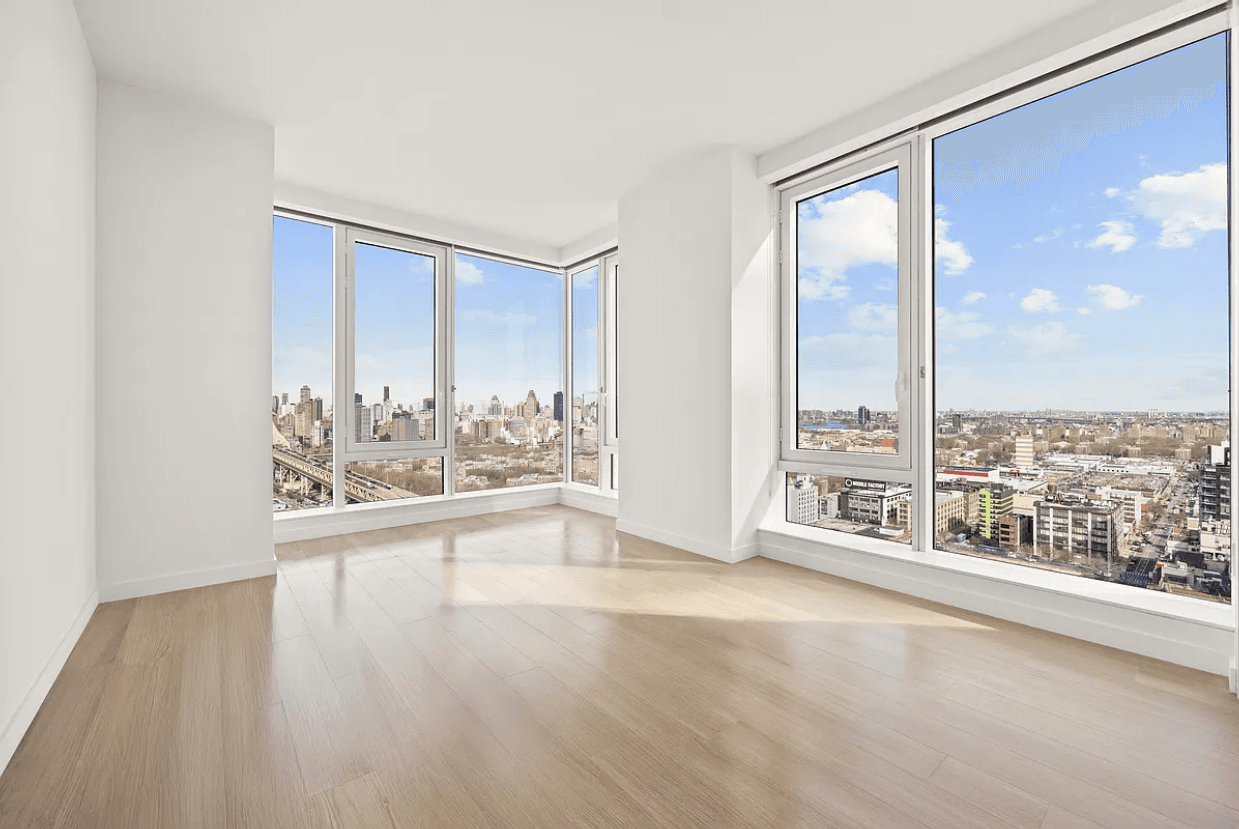
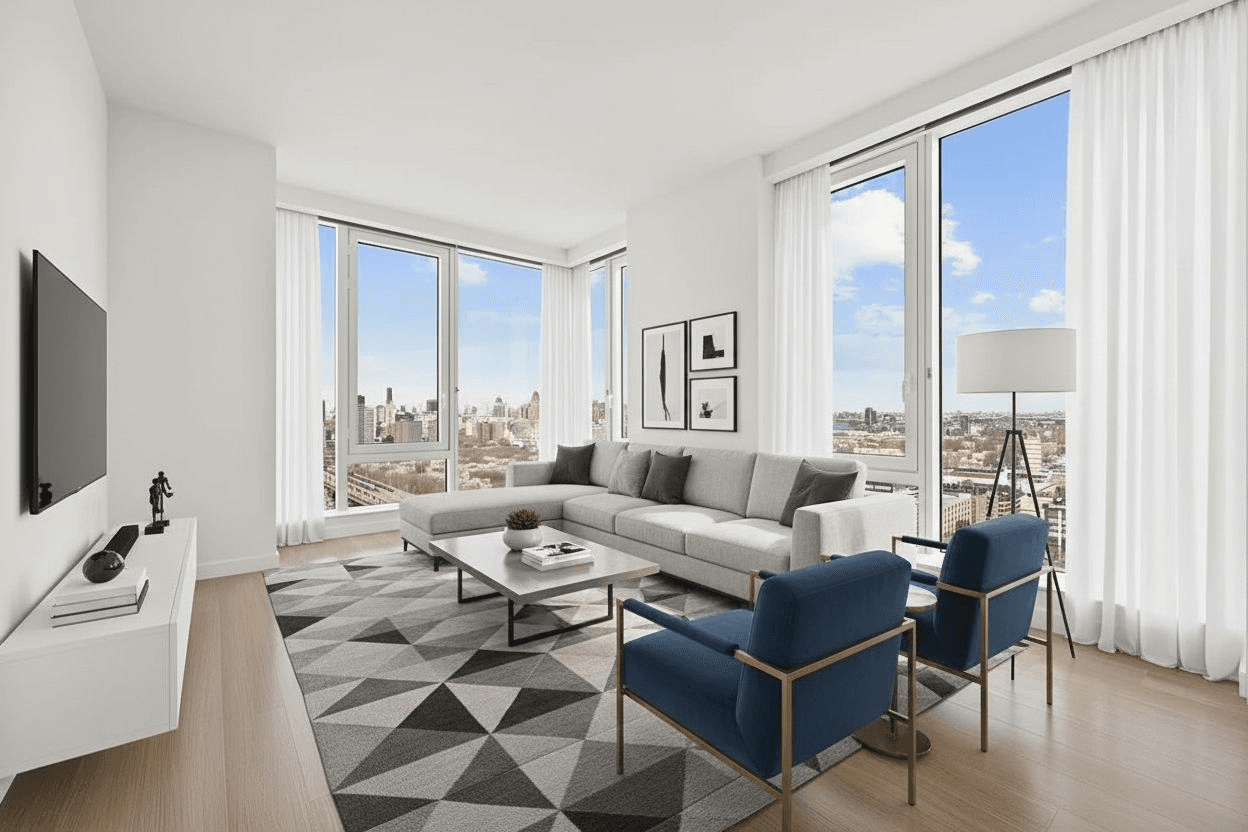
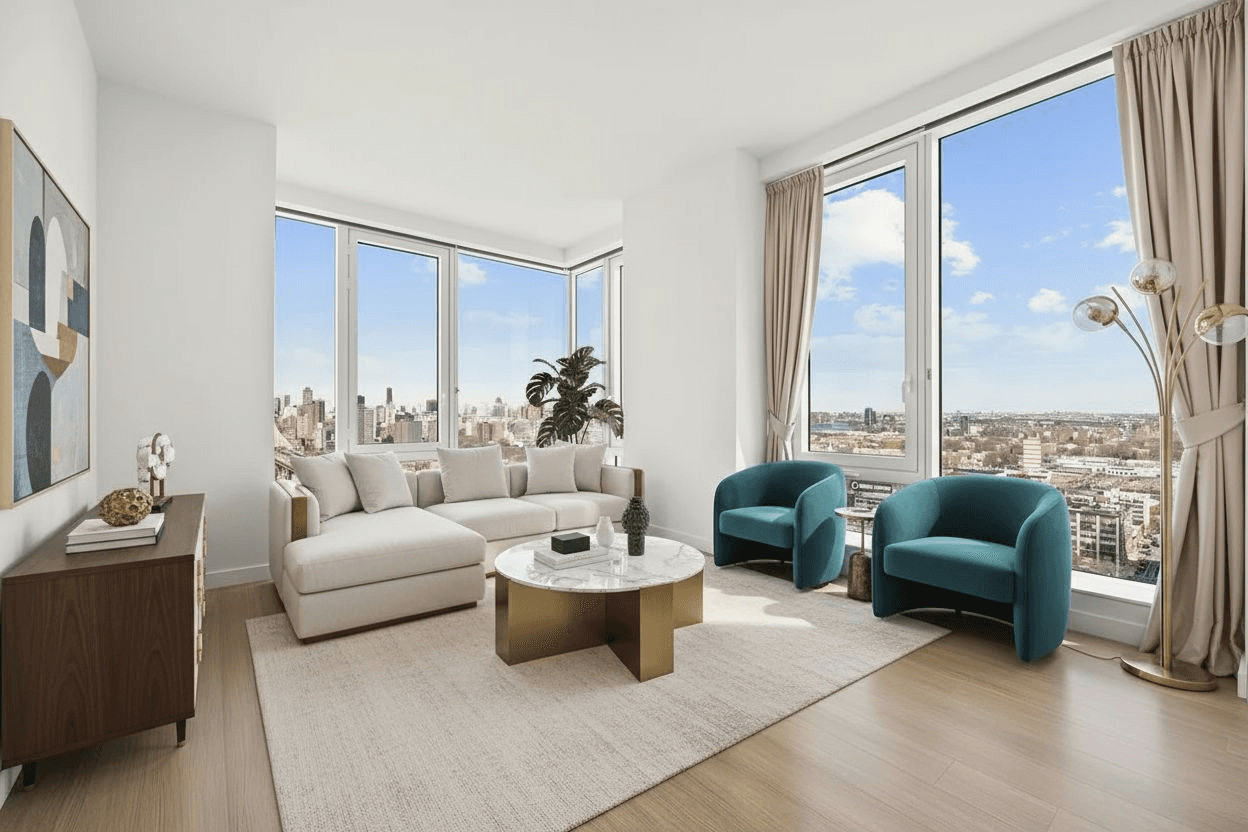
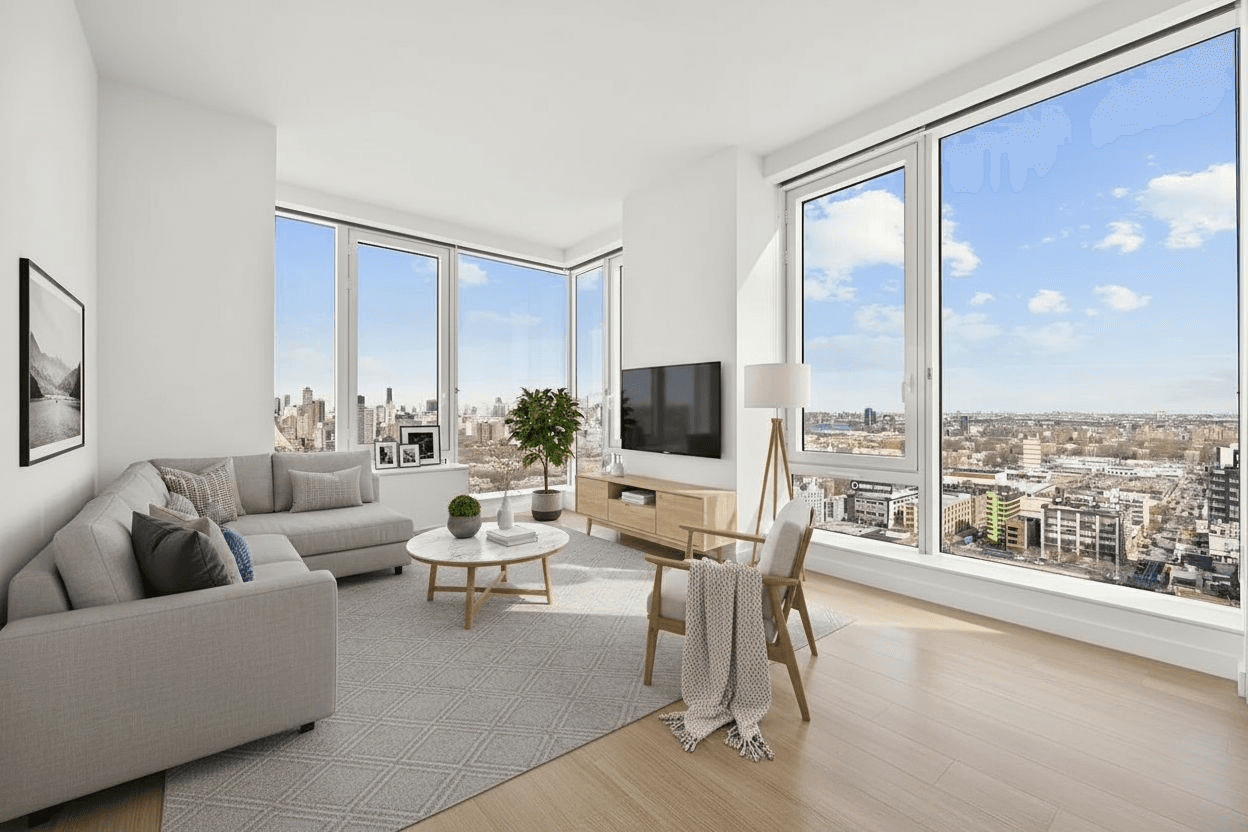
Built around your listing workflow
For real estate agents
Prepare vacant-room photos, compare styles and review results before publishing a listing.
For rental teams
Illustrate apartment layouts while keeping actual unit photos and furnishings clear.
For property investors
Show furnishing ideas for finished rooms and keep renovation concepts separate.
See how your listing
could look staged
Upload a photo and generate furnished photo variations in Modern, Scandinavian, or Luxury styles — no Photoshop, no designers.
Try it on your listing →A practical workflow for vacant rooms
Use digital furniture to illustrate room layouts, compare design options, and prepare clear listing photos.
Use furniture to illustrate how an empty room could be arranged, without implying exact dimensions.
Try Modern, Scandinavian or Luxury styling and choose a direction that suits the property.
Compare outputs with original photos, reject inaccurate changes, and label digital furniture clearly.
How Our AI Virtual Staging Software Works
We designed AiStager to feel like magic without sacrificing control. You choose the room type and style — AI does the heavy lifting.
1. Upload a room photo
Upload a clear room photo you own or have permission to edit. Keep the original for comparison.
2. Brush away old furniture
Highlight movable furniture with a brush, then inspect the reconstructed surfaces.
3. Pick a style & room type
Choose your room type and try Modern, Luxury, Scandinavian, or another available style.
4. Download staged images
Review your staged photos, then prepare originals and the disclosures required for your listing.
Why agents choose AiStager.
- • Compare furniture, lighting and scale against your original photo.
- • Prompts request unchanged architecture; review every output for accuracy.
- • Furniture removal and staging included in every plan.
- • Unlimited re-renders so you can test multiple looks.
- • Built for teams: predictable pricing and photo-based plans.
What to check in your staging workflow
| Feature | AiStager | Your review |
|---|---|---|
| Image realism | AI-generated furniture | Check scale and lighting |
| Room structure | Preservation instructions | Compare with original |
| Furniture removal | Included | Inspect reconstructed areas |
| Re-renders | Try more variations | Approve a usable result |
| Price per image | Photo-volume plans | Choose for actual usage |
Simple pricing for teams that stage a lot.
Start with 5 free AI-staged photos, then choose a plan when you need watermark-free listing downloads and more monthly volume.
Starter
For solo agents testing AI staging.
$15/month
Includes 30 staged photos / month.
See all plans →Standard
For active agents running multiple listings.
$23/month
Includes 60 staged photos / month.
See all plans →Pro & Business
For top producers, teams, and brokerages staging at scale.
From $49/month
Plans for 150+ photos / month and custom business tiers.
See all plans →Got questions?
We have answers.
Everything you need to know before staging your first listing with AiStager.
What is virtual staging?▾
Virtual staging digitally furnishes empty rooms using realistic furniture and decor to help buyers visualize the space without the cost or delays of physical staging.
What is AI virtual staging?▾
AI virtual staging uses artificial intelligence to automatically place furniture into real estate photos. AiStager analyzes room layout, lighting, and perspective to generate furnished image variations for you to review.
Why choose virtual staging over physical staging?▾
Virtual staging furnishes the photo without furniture delivery. Physical staging furnishes the property for showings. Choose based on the presentation your listing needs.
How long does AI virtual staging take?▾
Processing time varies by photo and service load. Review each result before downloading or publishing it.
What photos work best?▾
Bright, well-lit photos taken at eye level work best. Empty or lightly furnished rooms produce the strongest results.
Can I restage the same photo?▾
Yes. You can restyle the same image in Modern, Scandinavian, or Luxury styles as many times as you want within your plan.
Are images watermarked?▾
Free photos are watermarked. Paid plans include watermark-free downloads. Review your images and add any disclosures required by your listing platform.
Popular AI Staging Tools
Ready to stage your next listing with AI?
Create your account, upload a photo, and get 5 free AI-staged photos.